
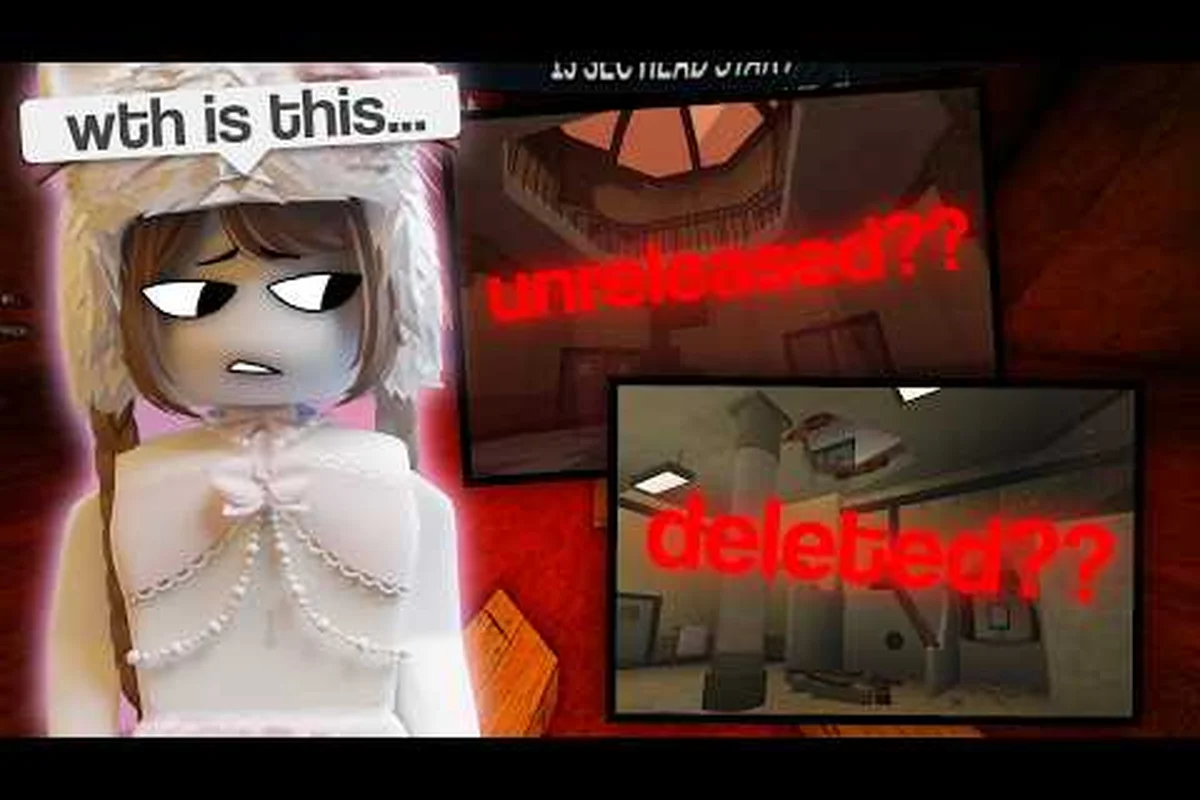
Map rotation is the single biggest reason a fresh Flee the Facility session feels different from the last one, and figuring out Flee the Facility how to unlock maps is the first real decision you make after the tutorial haze wears off. The 9th Anniversary patch (09/07/26) overhauled the private server map picker, reintroduced deleted Facility_0 versions, and added a percentage indicator that quietly changes which maps you should actually vote for, so a guide written before that update is already out of date. This walkthrough covers the live rotation, the voting screen, public server etiquette, friend-party flow, and the Flee the Facility system requirements you need to actually run the game on PC, mobile, or console.
How Map Unlocks Work in Flee the Facility
The first thing to clear up is that Flee the Facility has no traditional "locked map" system the way a lot of Roblox titles do. Every standard facility sits in a public rotation pool, and the rotation itself is what controls which maps surface in casual matchmaking. Players who want access to specific facilities on demand rely on private servers, which received a major map selection upgrade during the 9th Anniversary event.
The Public Rotation Pool
In public matchmaking, the game draws from a curated list of facilities rather than throwing every map at you at once. According to the Flee the Facility game page on Roblox, the active pool includes the most recent remakes and community-requested revivals, and abandoned or older maps drop in only when the developers flag them as live. Because the rotation shifts with every patch, "unlocking" a map in public play really means waiting for the rotation to bring it back.
Recent changes logged in the official 09/07/26 change log show direct touches to several maps in the live pool, with the patch confirming a full Facility_0 model remake, balance passes on Abandoned Prison, Homestead Lockers, and School, plus the timed addition of Sanctuary Zoo Summer as an anniversary variant, so any map you are trying to unlock in public matchmaking is almost certainly waiting on the next rotation cycle to surface these flagged facilities into the active selection.
-
Facility_0 received a full remake by community builder deadlybones28 with improved detail models.
-
Abandoned Prison, Homestead Lockers, and School received balance and layout adjustments.
-
Sanctuary Zoo Summer was added as a seasonal variant for the anniversary window.
If you have not seen these yet, that is the rotation catching up rather than something you need to grind, so resist the urge to spam-queue public lobbies hoping a specific map will appear sooner. Public map access is essentially a waiting game tied to the patch calendar, and since the active pool on any given day is capped at the developer-flagged facilities listed in the latest change log, a map like Sanctuary Zoo Summer only enters the selection during its anniversary window and exits again once that event ends.
Private Server Map Selection
Private servers are where the real "unlock everything" experience lives. Before the anniversary patch, private server owners were stuck with whichever facility the host happened to pick at creation. The update added a dedicated map select menu to private servers that now lets owners choose any current map, any older archived version, and even deleted maps going back to 2017. For anyone who wanted to revisit the original Facility_0 layout, the 2018 School revision, or other retired facilities, the archive is now reachable from the in-game menu.
| Source | Maps Available | Selection Method | Update Frequency |
|---|---|---|---|
| Public matchmaking | Curated active pool | Automatic rotation | Each major patch |
| Private servers (standard) | Current live maps | Map select menu | Immediate |
| Private servers (archive) | 2017–present, including deleted maps | Map select menu | Immediate |
| Trading Post collector's guide | Map metadata + history | UI window | Static reference |
The collector's guide UI window added to the Trading Post serves as the reference layer for which maps exist, which version is canonical, and which items are tied to each facility. Pair the guide with the private server menu and you effectively have the complete map catalogue at your fingertips.
Joining Public Servers and Reading the Lobby
Once you understand that "unlocking" mostly means routing yourself to the right lobby, the next skill is actually picking a public server that suits your goals. The in-game server browser is more transparent than it looks, and a few minutes of reading the lobby will save you from a wasted queue.
Reading Server Browser Filters
Public servers sort by a combination of player count, region, and ping. The default view shows every active server, and most players never touch the filters. That is fine for casual rounds, but if you care about ping, the region filter is the only tool that reliably cuts down on lag spikes. Community testing on the r/fleethefacility subreddit suggests that servers with player counts above 15 routinely run into rubber-banding during beast chases, because every additional player increases the physics load on the map.
| Filter | Effect | When To Use It |
|---|---|---|
| Region | Restricts servers to a continent | Whenever your default region is wrong |
| Player count | Limits to small or full lobbies | Low-pop servers = faster beast role queue |
| Max ping | Hides servers above a ms threshold | Tournaments, recorded runs, friend parties |
| Map (new) | Filters to one facility | Grinding a specific map for events |
The newly added map filter is the cleanest way to handle Flee the Facility how to unlock maps when you are after a specific facility for a daily challenge, event item, or trade-bait collection. It does not change which maps are "unlocked" overall, but it does cut the lobby-hunting time dramatically.
Vote-for-Map Mechanics
The pre-round vote screen is where map unlocks get decided in practice. After queuing, the lobby presents a randomized pool of three to five maps, and the community votes on which one runs. Every player gets one vote, ties break randomly, and the winning facility loads for the round.
There is a small but important wrinkle added in the anniversary patch: each map now shows a percentage indicator reflecting how often it has been picked recently. The goal is to surface underplayed maps and stop the lobby from cycling the same three facilities forever. Practically, that means voting for the lowest-percentage map you are willing to play is the single best way to broaden your own map experience and quietly help the rotation evolve. For deeper coverage of the voting screen and window spots inside each facility, the map unlock guide on the maps section breaks down every playable layout with vote-friendly intel.
Playing With Friends Without the Chaos
"Flee the Facility how to play with friends" is one of the most-searched questions in the community, and the answer depends on whether you want a private server or just a coordinated public round. Both routes work, and each has a tradeoff in terms of map variety and queue speed.
Party Invite Flow
To party up in Roblox, open the in-game friends list, send an invite, and accept the party on the other client. Once the party is formed, the leader can choose between queueing into a public match as a unit or migrating the party into a private server. Parties persist across map changes inside private servers, so a five-stack can keep playing through multiple rounds on the same facility without re-inviting.
| Party Size | Public Match | Private Server |
|---|---|---|
| 2 players | Joins random lobby, may split | Easy, full control |
| 3–4 players | Usually stays together | Best for practicing beast role |
| 5+ players | Larger lobbies, slower queue | Required for full private match |
| 10+ players | Not possible | Only via VIP server subscription |
Private Server vs Public Party
Public parties are the right call when the goal is map variety, because private servers tied to your party will not pull from the live rotation. Private servers are the right call when the group wants to grind one map, run a beast-only training session, or rerun a specific facility for a challenge. The anniversary update's expanded map select menu means private servers now cover the same variety as public play, which removes most of the old reason to avoid them.
A common rookie mistake is to assume that joining a friend's private server auto-syncs your cosmetics or event progress. It does not: cosmetics, items, and event progress are account-bound, so what you bring into a friend's server is whatever your own account owns. If you are trying to show off a freshly unlocked anniversary item, you need to load in with your own account, not a friend's alt.
Flee the Facility System Requirements
Flee the Facility runs on phones, tablets, PC, Xbox, and PlayStation, and the requirements are light enough that most hardware from the last five years can handle it. That said, mobile and console behave very differently from PC, and there are a few specific bottlenecks worth knowing before you troubleshoot bad performance.
PC Minimum and Recommended Specs
Because Flee the Facility is a Roblox title, the real spec floor is whatever Roblox Studio's runtime needs for the current client, plus a small overhead for the map meshes added in recent updates. The numbers below come from community testing on the r/fleethefacility subreddit and corroborated with the official Roblox game page hardware notes.
| Component | Minimum | Recommended | Notes |
|---|---|---|---|
| OS | Windows 10 (64-bit) | Windows 11 | macOS works but gets less QA |
| CPU | Quad-core 1.6 GHz | Quad-core 2.5 GHz+ | Beast chases are CPU-bound |
| RAM | 4 GB | 8 GB | More = smoother 10-player lobbies |
| GPU | Integrated UHD | Dedicated GTX 1050 / RX 560 | Needed for high particle density |
| Storage | Roblox cache only | SSD recommended | Reduces map load time |
| Network | 5 Mbps | 15 Mbps+ wired | Ping dominates beast fairness |
Mobile and Console Notes
On phones and tablets, the game defaults to lower particle density and reduced shadow quality to keep frame rates stable. The new Facility_0 remake with improved detail models is the first map where community reports flag noticeable frame drops on older mobile devices, so if you are on a phone from 2019 or earlier, expect to drop to low graphics before joining a Facility_0 queue.
Xbox and PlayStation versions are essentially the PC client wrapped in a console shell, so the same CPU and RAM floors apply. The biggest console-specific issue is wireless interference: the beast role is sensitive to input latency, and a Wi-Fi-only console connection can make the difference between catching a survivor at the door and watching them slip through.
Practical Tips for Faster Map Variety
Knowing how the system works is one thing; using it to actually broaden your map pool is another. A few habits compound over time and quietly multiply the number of unique facilities you see in a week. For example, rotating between three private servers with different host regions tends to surface the Antarctic Outpost and Subzero Containment variants far more often than sticking to a single lobby, and joining friends' sessions within 10 minutes of a server reset cuts the lobby-pool repetition that keeps you stuck on the Warehouse or Greenhouse tilemaps. Track which facility you've seen in the past 20 rounds in a simple notepad, and you'll quickly notice whether your current routine is actually cycling through the four core environments or just reshuffling the same two — a check that costs nothing but turns vague "I see the same maps" frustration into a concrete map-unlock strategy tied directly to server-hopping frequency and group size.
Build a Voting Habit
Vote for the lowest-percentage map in the lobby whenever you are not grinding a specific facility. The percentage indicator added in the anniversary update is designed to reward exactly this behavior, and the community payoff is faster access to underplayed maps when you actually want them.
Rotate Private Server Maps Mid-Night
If you run a private server with friends, swap facilities every few rounds. The private server map select menu makes this instant, and rotating prevents the group from over-learning one layout at the expense of others. This is especially valuable for beast role training, because each facility has different chase geometry and a beast who only knows Facility_0 will struggle in Homestead Lockers.
Pair Maps With Event Windows
Event periods like the 9th Anniversary tend to bring back seasonal variants (Sanctuary Zoo Summer, circus fairgrounds lobby decor, etc.). If you are farming event items, coordinate your private server sessions with the active event window so the matching seasonal map is available. Outside of events, stick to the live rotation pool for the best drop rates on event-tagged items.
Keep the Collector's Guide Open
The Trading Post collector's guide UI window is now the most reliable reference for which map you are looking at, which version is current, and which items are tied to it. Treat it like a wiki: open it whenever you see an unfamiliar map name, and you will quickly build a personal mental catalogue of every facility in the game.
Frequently Asked Questions
How do I unlock every map in Flee the Facility?
There are no per-map unlock conditions. Public matchmaking uses an automatic rotation, so all standard facilities surface over time. For on-demand access to current, archived, and deleted maps going back to 2017, host or join a private server and use the map select menu added in the 09/07/26 update.
Can I play Flee the Facility with friends without a private server?
Yes. Form a Roblox party of up to four in-game and queue into public matchmaking, which keeps the group intact on the same server shard. The new server browser map filter then narrows the lobby pool to one facility, and the party leader can also pin a specific map so everyone spawns into a coordinated Facility_0, Abandoned Prison, or Homestead Lockers run together.
What are the Flee the Facility system requirements for PC?
Minimum specs are Windows 10, a quad-core 1.6 GHz CPU, 4 GB of RAM, and integrated graphics. For smooth 10-player lobbies, community data recommends 8 GB of RAM, a dedicated GPU like a GTX 1050, and a wired 15 Mbps connection to keep beast chases fair.
Why do I only ever see the same three maps in public matches?
The rotation pool is curated and cycles through roughly 6-8 facilities per patch instead of dumping all 20+ maps at once, which is why players report long dry spells on less popular entries like Area 51 and Sewers. Voting for low-percentage maps during the 15-second pre-round vote, using the new map filter added in the 09/07/26 update, and rotating private server facilities through /map are the fastest ways to broaden your personal map exposure without waiting weeks for the random pool to swing your way.
Is Facility_0 different in the 9th Anniversary update?
Yes. The 9th Anniversary update shipped a full Facility_0 visual remake by community builder deadlybones28, swapping in higher-detail wall panels, rebuilt computer terminals, and reworked spawn-room geometry for better line-of-sight reads, while simultaneous balance passes touched Abandoned Prison's vent timers, Homestead Lockers locker density, School's computer spacing, and the summer-variant Sanctuary Zoo layout, all of which subtly shift optimal beast pathing compared to the pre-anniversary versions players memorized.